On November 10, 2026, OpenAI introduced Businesses in ChatGPT in beta. For local businesses, the new Business Hub offers a way to claim a listing, keep key details current, and understand how people encounter the business in ChatGPT. If customers are already asking AI for recommendations, this is one more important place to manage your online presence.
Why claiming your ChatGPT business profile matters
ChatGPT is becoming another place where people discover services, compare options, and decide which businesses to contact. At launch, OpenAI reported that 1.2 billion people use ChatGPT each week. Claiming your business can help you manage the information people encounter there.
1. Keep your business details accurate
Once your claim and identity verification are approved, you can submit updates to your business description, website, category, logo, and other available details. OpenAI reviews and publishes changes, so updates may not appear immediately.
2. See how your business is discovered
Business Hub offers aggregated insights such as mentions, website clicks, and discovery topics. This helps you understand where ChatGPT surfaces your business, without exposing individual users or their conversations.
3. Establish a verified business profile
After successful Persona identity verification, a blue check can appear on the business profile. Simply submitting a claim is not enough to receive the verified badge.
4. Support your broader SEO and AEO strategy
A complete business profile complements a strong website, accurate local listings, useful service pages, and customer reviews. Claiming is a sensible first step, but it does not guarantee increased recommendations, ranking, traffic, or sales.
How to claim your business on ChatGPT
You must own the business or be authorized to represent it. Eligibility and available verification methods vary by business and location. For local stores and restaurants, OpenAI currently supports claiming existing U.S. listings; adding a new listing may not be available.
Step 1: Open Business Hub
Sign in to ChatGPT and open Business Hub from the sidebar, or visit chatgpt.com/business-hub. Select Add if shown, then search for your business name.
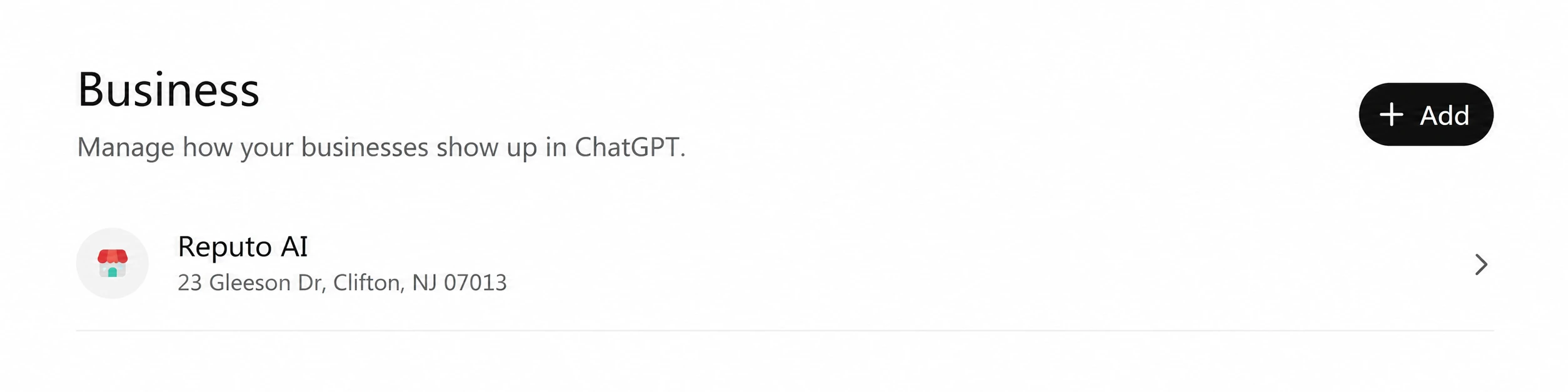
Step 2: Select the correct listing
Choose the listing that matches your business. Check the name, address, and website, then confirm the ChatGPT account you want to use to manage it. Select Continue when prompted.
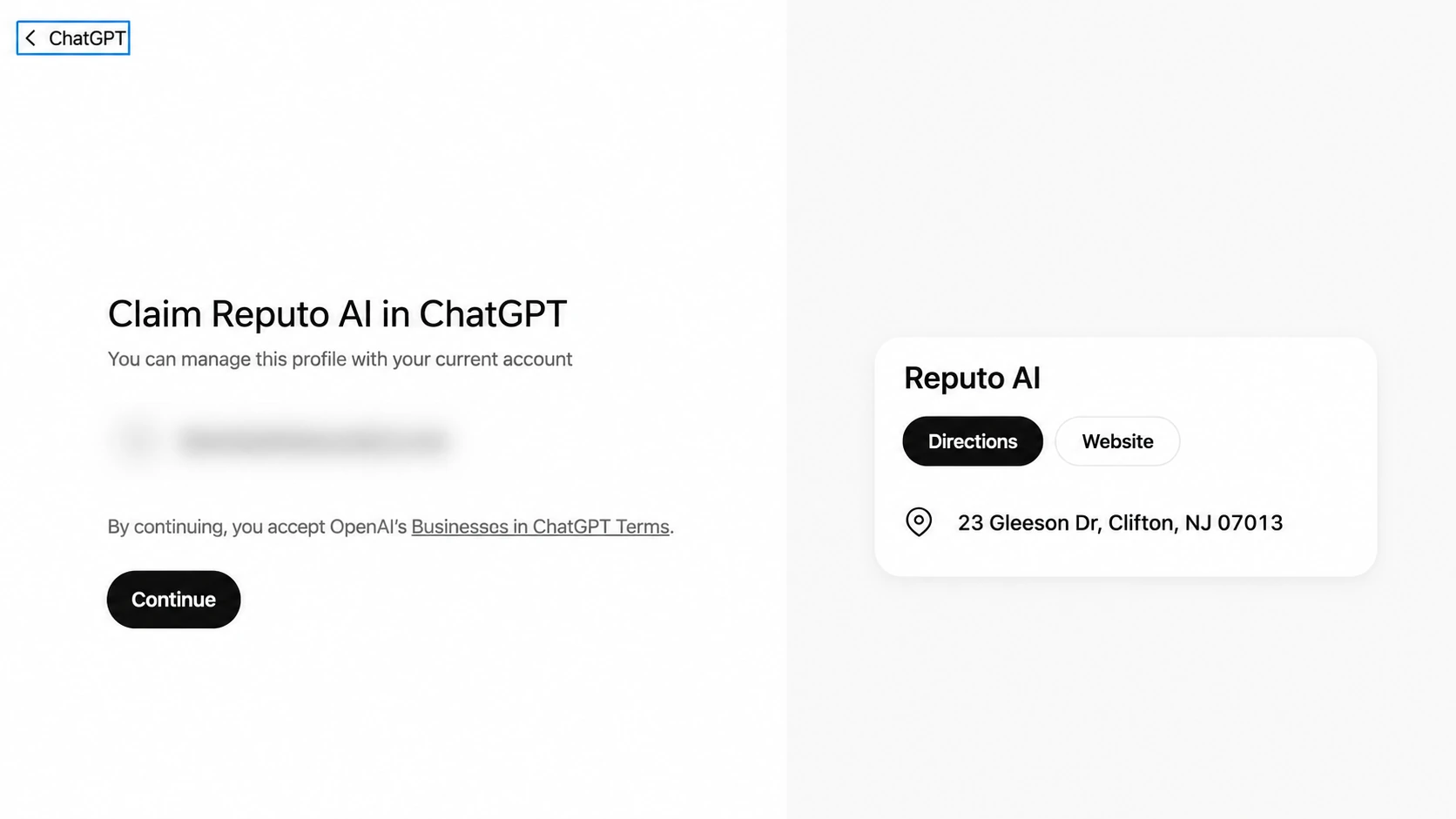
Step 3: Verify your connection to the business
OpenAI will show the verification methods available for your listing. Depending on eligibility, you may verify using a business phone number, an email associated with the business, a DNS TXT record on your website domain, or an eligible Shopify store.
- Phone: receive a code by text or automated call.
- Email: receive a code at the associated business email address.
- Domain: add the exact TXT record provided in Business Hub, then verify the domain.
- Shopify: connect the eligible store and complete the authorization flow.
After submitting the claim, OpenAI reviews the request and contacts you by email with a decision or request for more information.
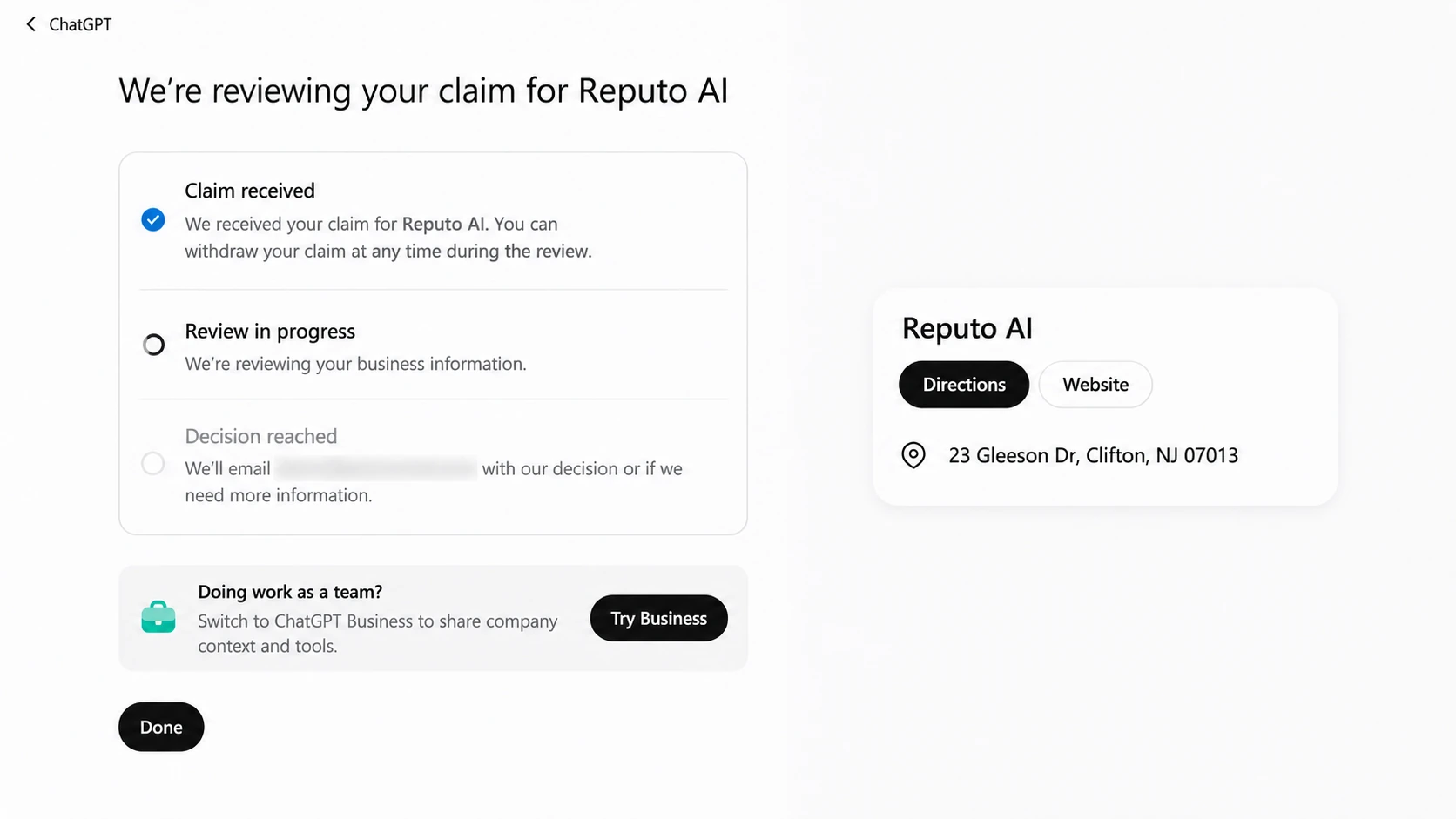
Step 4: Open the business overview after approval
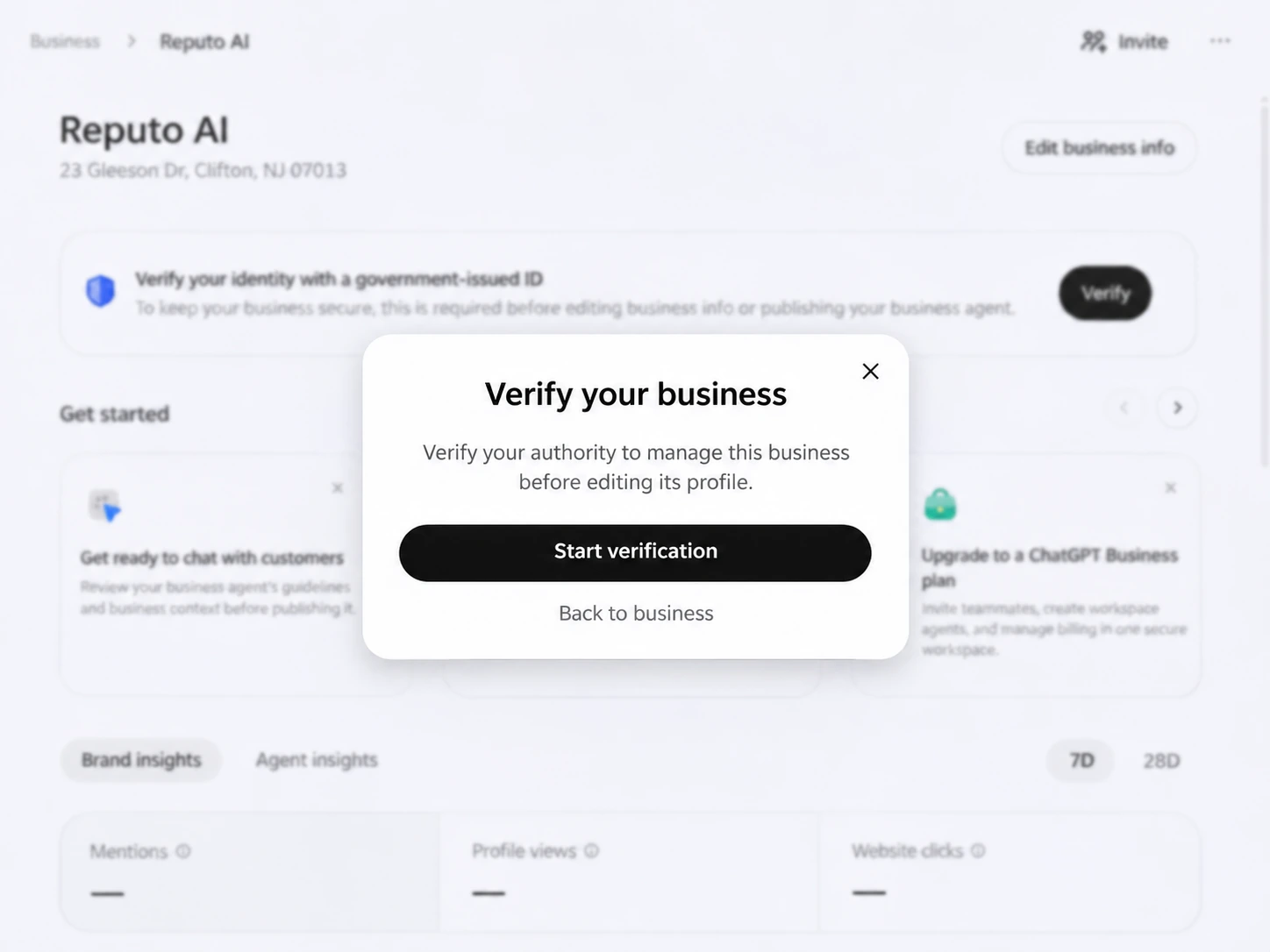
Once your claim is approved, return to Business Hub and open your business profile. You may see a prompt to verify your identity before editing the listing or accessing insights.
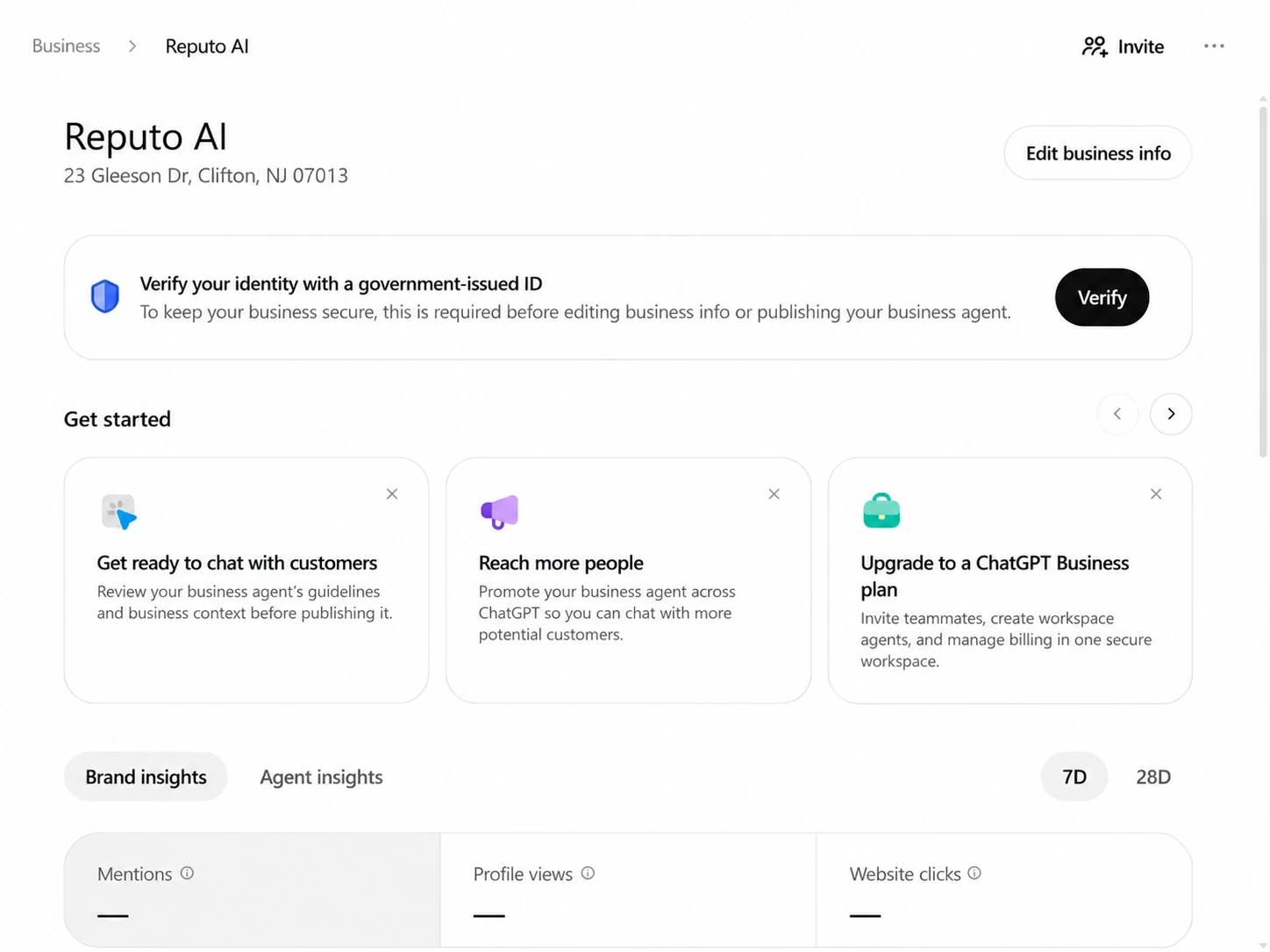
Step 5: Complete Persona identity verification
Select Verify or Start verification and follow the Persona instructions. You may be asked for a government-issued ID, business registration details, or proof that you are authorized to represent the business. Wait for approval before expecting profile editing, insights, or a blue verified checkmark.
Step 6: Review your information and insights
After both approvals, update the details available for your business. Be specific about what you offer and ensure your website, service descriptions, and other directory listings are consistent. OpenAI reviews submitted updates before publishing them.
Check Business Hub insights for mentions, website clicks, and discovery topics. These are aggregated metrics. A blank value may mean that the reporting threshold has not been met, not necessarily that nobody encountered your business.
What should local businesses do next?
- Claim the correct listing and finish all required verification.
- Use a clear, accurate description of your services and target customers.
- Keep your website, Google Business Profile, and important listings consistent.
- Create pages that directly answer the questions your customers ask.
- Monitor ChatGPT Business Hub insights alongside your SEO and AEO performance.
Frequently asked questions
Is claiming a business in ChatGPT free?
OpenAI states that you do not need an Ads account or an Enterprise agreement to claim an eligible business. Claiming, advertising, and publishing a Business Agent are separate activities.
Will my business rank higher after claiming it?
No ranking boost is guaranteed. ChatGPT makes independent recommendations and may draw information from multiple sources. Claiming gives you a way to manage submitted details, not control the answers ChatGPT generates.
Can Reputo or another agency help manage my profile?
Yes. OpenAI says the business administrator can invite teammates or grant an agency access through Business Hub, subject to account and workspace restrictions. Each person should use their own account.
Can I read the conversations that mention my business?
No. OpenAI provides aggregated insights and does not share individual prompts, customer conversations, or Business Agent chats with businesses.
Make ChatGPT part of your online visibility strategy
Claiming your business on ChatGPT is a practical move toward better information accuracy and stronger visibility measurement. It works best alongside an optimized website, consistent local business information, helpful content, and an active reputation management strategy.
Reputo AI helps local businesses improve their visibility across search, AI discovery, and online reviews. Learn more at reputoai.io.